🔒 100% local — your data never leaves your machine

The fast, private desktop
workbench for messy tabular data

Open a million-row CSV, Excel, JSON or XML file in seconds. Clean it, reshape it, chart it, and query it with real SQL — all on your own computer. Nothing is ever uploaded.

Windows 10 & 11  ·  One-time purchase, all features, no subscription, no account  ·  macOS & Linux planned
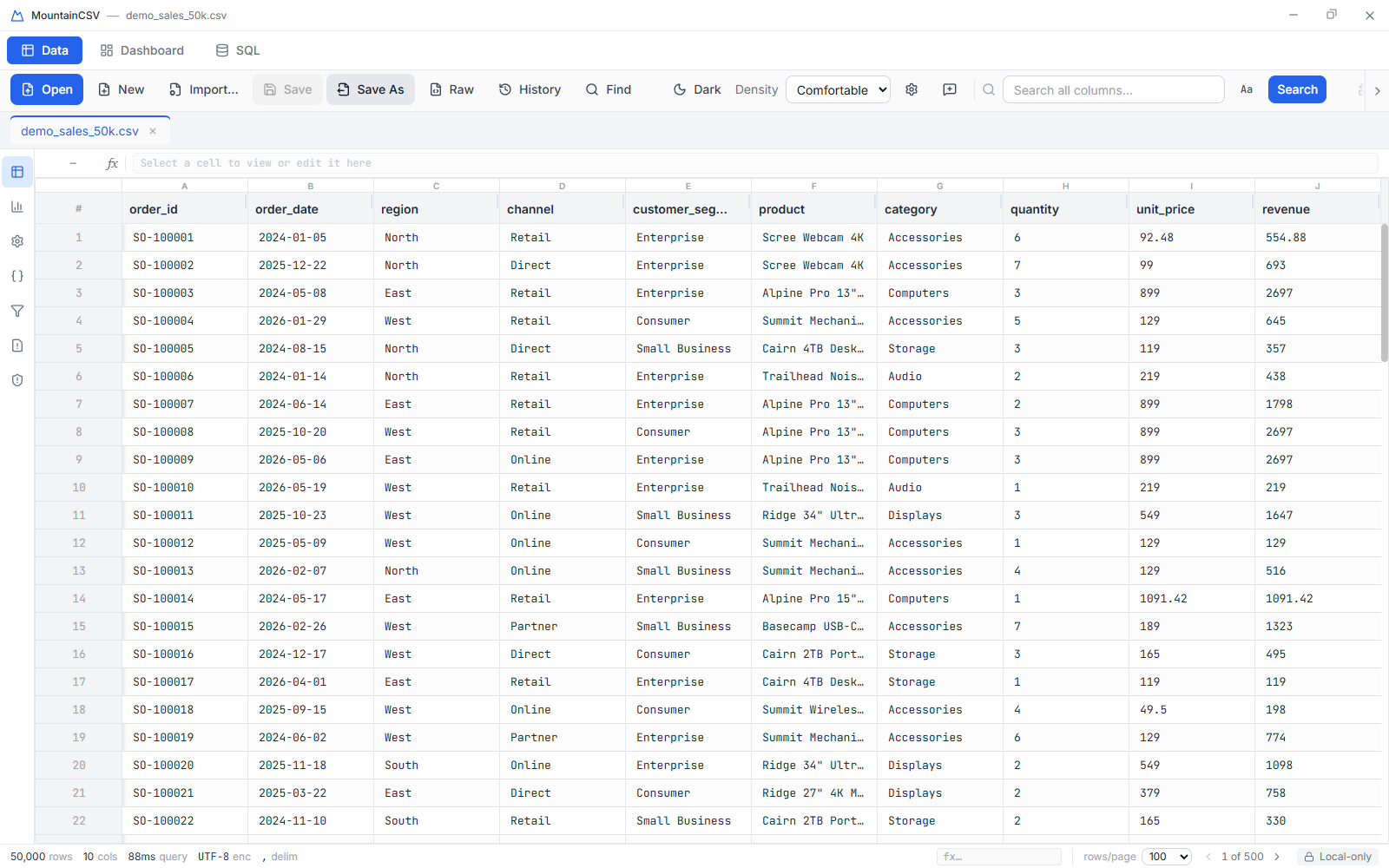
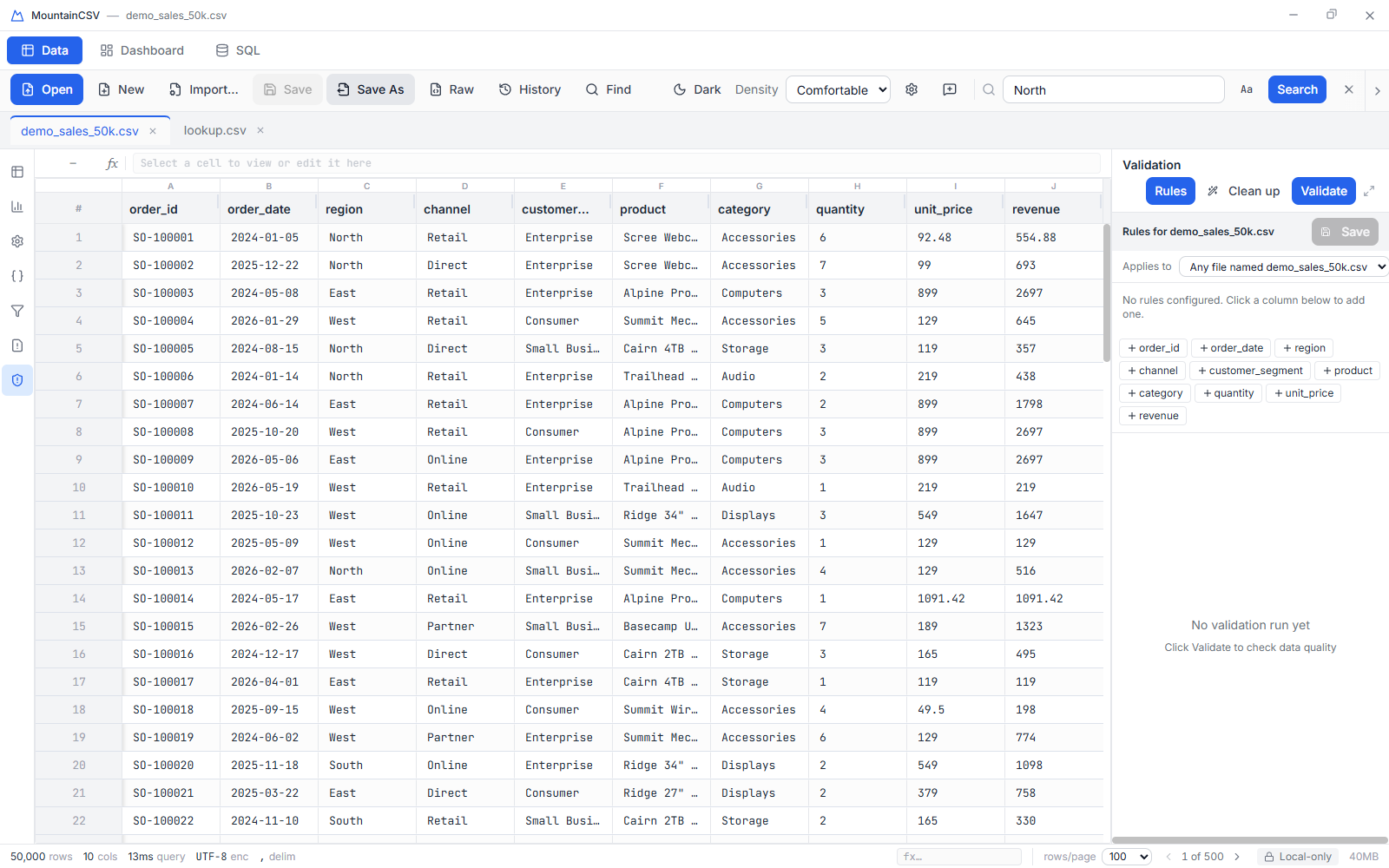
MountainCSV showing an open CSV file in its data grid
Why MountainCSV

Spreadsheets choke. Online tools want your data. This doesn't.

Spreadsheets mangle IDs, ZIP codes and dates, and slow to a crawl past a few hundred thousand rows. Online CSV tools make you upload sensitive data to someone else's server. Database GUIs are overkill for a one-off cleanup job. MountainCSV sits in the gap: the speed and SQL power of a real analytical database, the approachability of a spreadsheet, and the privacy of a local app.

Built for scale

A real embedded columnar engine under the hood — not a script bolted onto a CSV parser. Smooth scrolling through millions of rows; only the visible page is ever held in memory.

🗄️

Real SQL, built in

Write actual SQL against every open file — joins, window functions, CTEs, aggregations — with zero setup, and the result opens as a new tab.

🔒

Private by design

No telemetry, no analytics, no network calls, no account. Ideal for PII, financials, and anything under NDA or GDPR.

How it's organised

Three workspaces, one window

No hunting through nested ribbons. One click switches the whole screen between the three things you actually do with data — and in Dashboard and SQL your data stays right beside you, so you never lose sight of what you're working on.

Data — clean and edit

Your grid, full screen, with spreadsheet column letters and row numbers. Search, filter, find & replace, conditional formatting, type conversion, validation and in-cell formulas — everything for getting a file into shape, and nothing else in the way.

Data mode: the full-screen data grid with its toolbar
🗄️

SQL — query and reshape

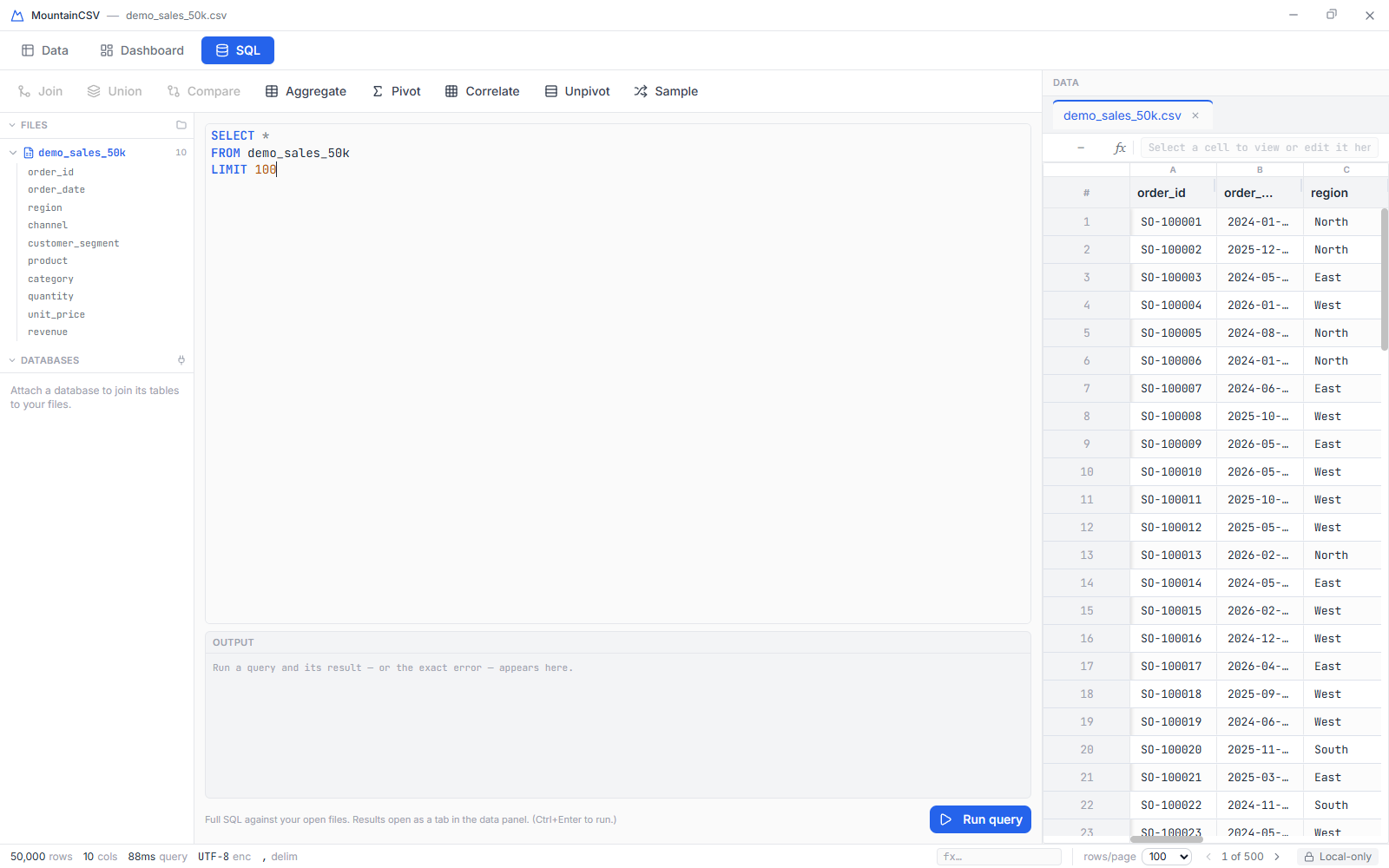
A real SQL editor with schema-aware autocomplete and a browsable table tree, plus every reshaping tool — Join, Union, Compare, Aggregate, Pivot, Correlate, Unpivot and Sample — on one toolbar. Results open as a new tab in the data panel beside you.

Not a SQL person? Use the dialogs, then hit Edit as SQL to see the exact query they'd run — and change it. It's the fastest way to learn SQL on your own data.

SQL mode: editor and reshape tools with the data grid alongside
📊

Dashboard — chart and report

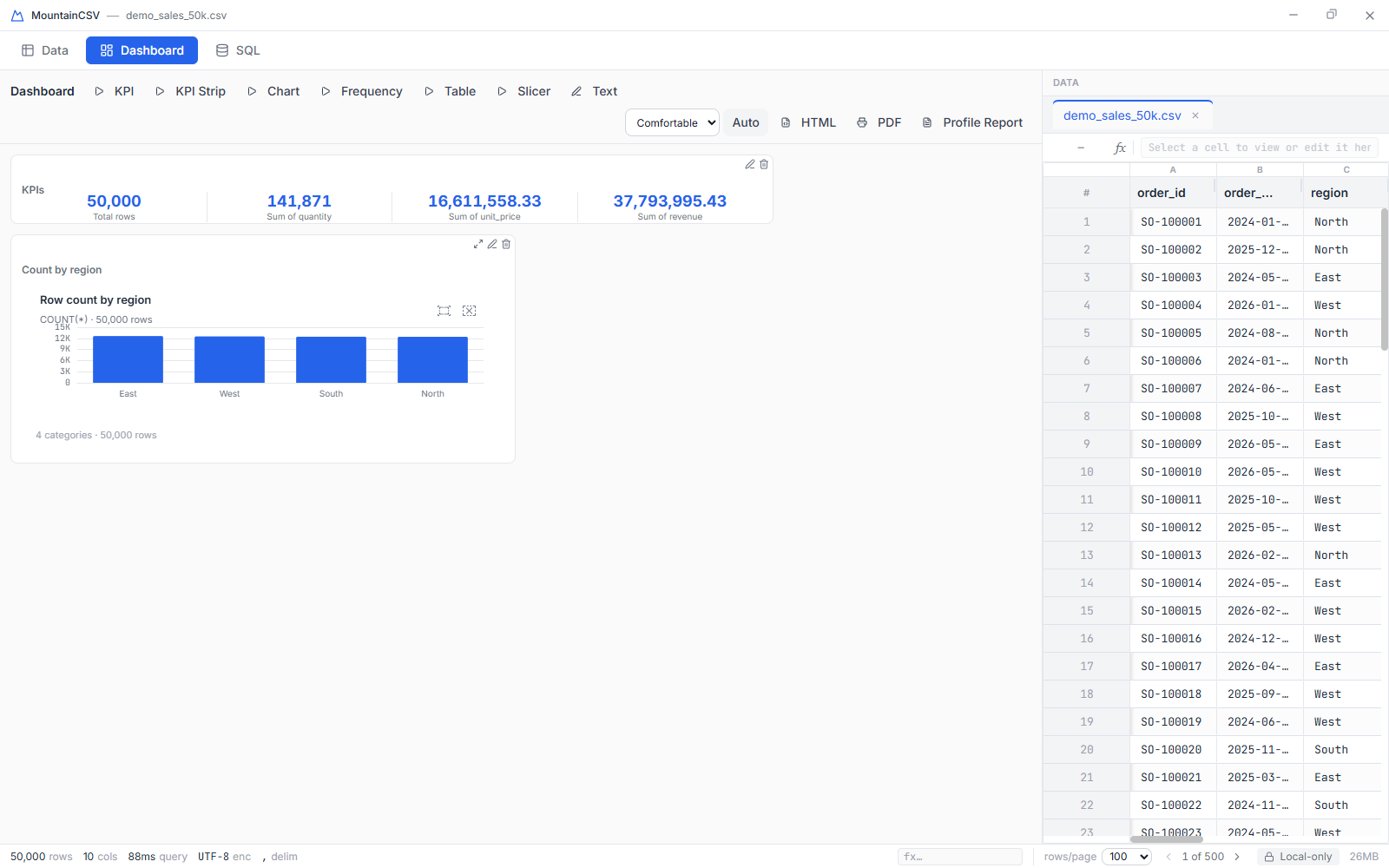
Build from KPI, KPI-strip, chart, table, frequency, slicer and text tiles — or press Auto and get a sensible dashboard of your file in one click. Click a slicer value or a chart bar and every tile filters together, Power-BI style. Six chart types (bar, line, pie, scatter, histogram, map) with PNG/SVG/CSV export; maximise any chart to fill the window; publish the board to a self-contained HTML page or PDF. And your dashboard is saved per file — reopen the same file next week and it's exactly as you left it.

Dashboard mode: KPI tiles and a chart with the data grid alongside
What it does

Everything you need for one messy file — or a hundred

A full data-cleaning and analysis workbench, not just a CSV viewer.

📂

Open anything, instantly

CSV, TSV, and other delimited text; Excel (.xlsx, .xls, .xlsm, .xlsb) with a sheet picker; JSON & NDJSON; XML. Automatic encoding detection (UTF-8/16, ISO-8859, Windows-125x, GBK, Shift-JIS) with one-click override, and an Import Preview that shows the detected delimiter, encoding and column types before you commit.

  • Fixed-width files — mainframe/legacy exports that align columns with spaces: breaks auto-detected on a clickable ruler, adjusted by eye, imported cleanly
  • Nested JSON & XML — see the structure as a tree and flatten any nested field (customer.address.city) to a real column in one click
  • Broken files open anyway — unreadable rows are captured, shown, and repairable to a fixed copy; your original is never touched
  • Paste CSV text straight from your clipboard — no temp file needed
  • New blank file to build a spreadsheet from scratch, Excel-style
  • Drag & drop multiple files, each in its own tab
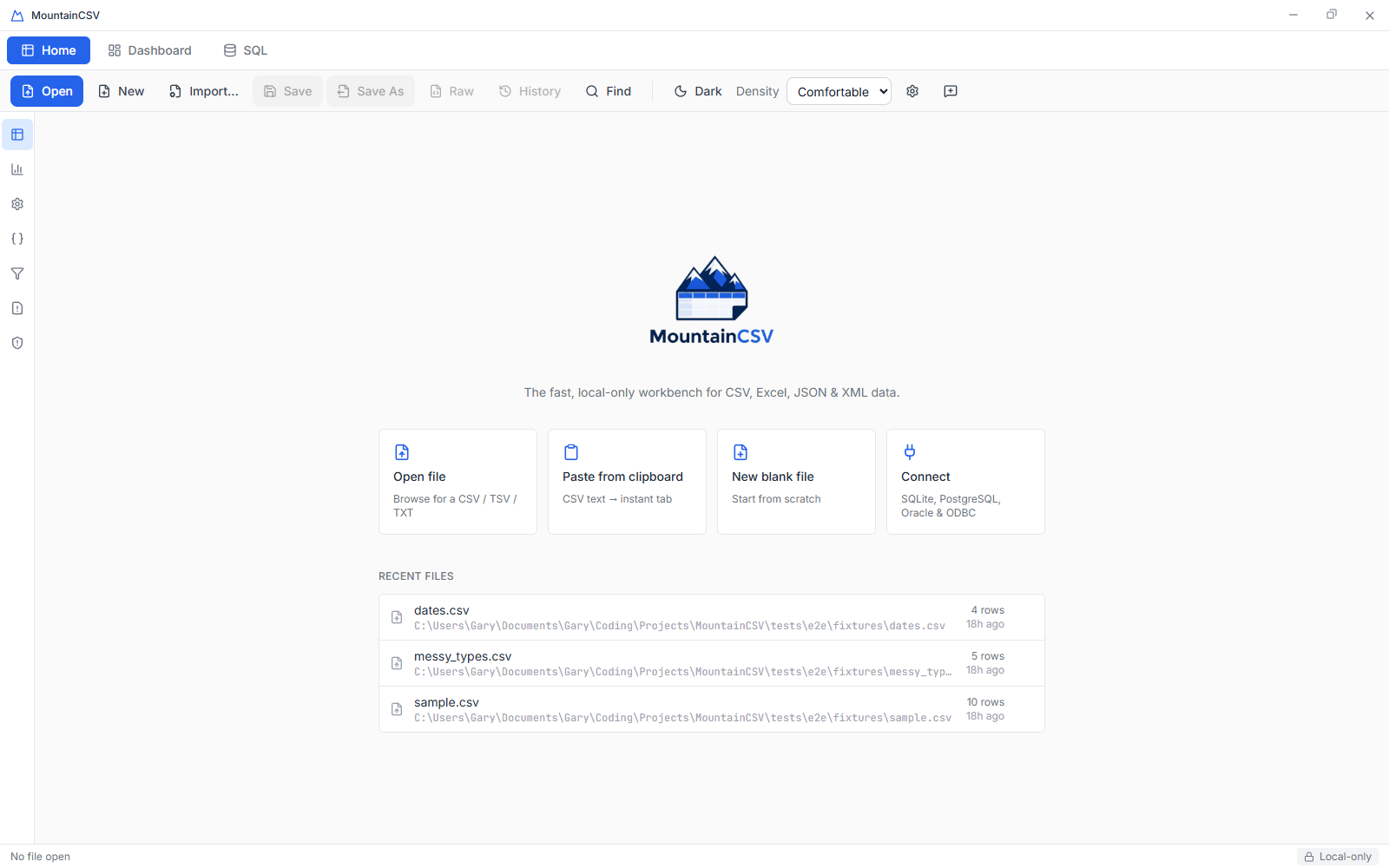
  • Connect to databases — SQLite, PostgreSQL, ODBC and Oracle. Pick tables from a searchable, schema-grouped picker; saved connections are encrypted on your machine behind a master password. The only connections the app ever makes are the ones you configure here, to your own databases.
MountainCSV welcome screen with open options
✏️

Edit with total confidence

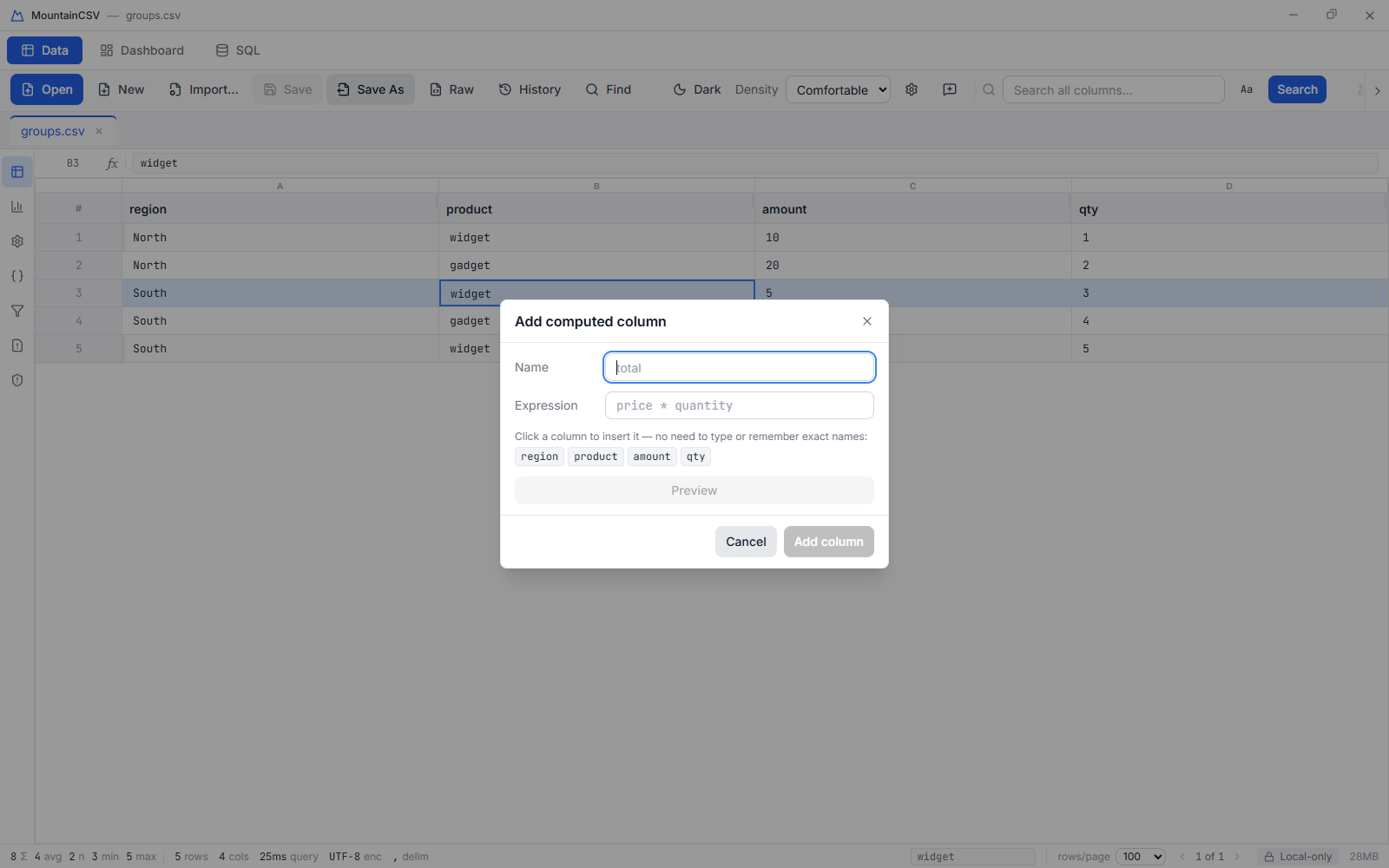
Every change is undoable (Ctrl/⌘+Z) — including the destructive ones. Edit cells inline, use Excel-style in-cell formulas (=A1+B1, SUM(A1:A10)), add computed columns with live-previewed SQL expressions, and pick columns to reference from clickable chips — never type or misremember a column name.

  • File history — every save that overwrites a file snapshots it first; the last ten versions are one click from restored
  • Raw file view — see exactly what's on disk, byte for byte, any size
  • Rename, delete, split and merge columns; convert types; conditional formatting
  • Bookmark rows while you investigate, and filter to just those rows
Add computed column dialog with clickable column chips

Clean & validate

🏆 Cluster & merge automatically groups values that mean the same thing ("NYC" / "New York" / "new york") so you can collapse them in one click — on an engine that doesn't choke past a million rows. Per-column validation rules (required, integer, decimal, min/max, regex, email, URL, unique, date, one-of-list) with one-click auto-fixes.

  • Anonymize columns — hash, mask, or redact — entirely on your machine
  • Fill empty cells — forward-fill or a constant
  • Errors vs. warnings — block a bad export, or proceed knowingly
Validation panel with per-column rules
🔀

Reshape & combine

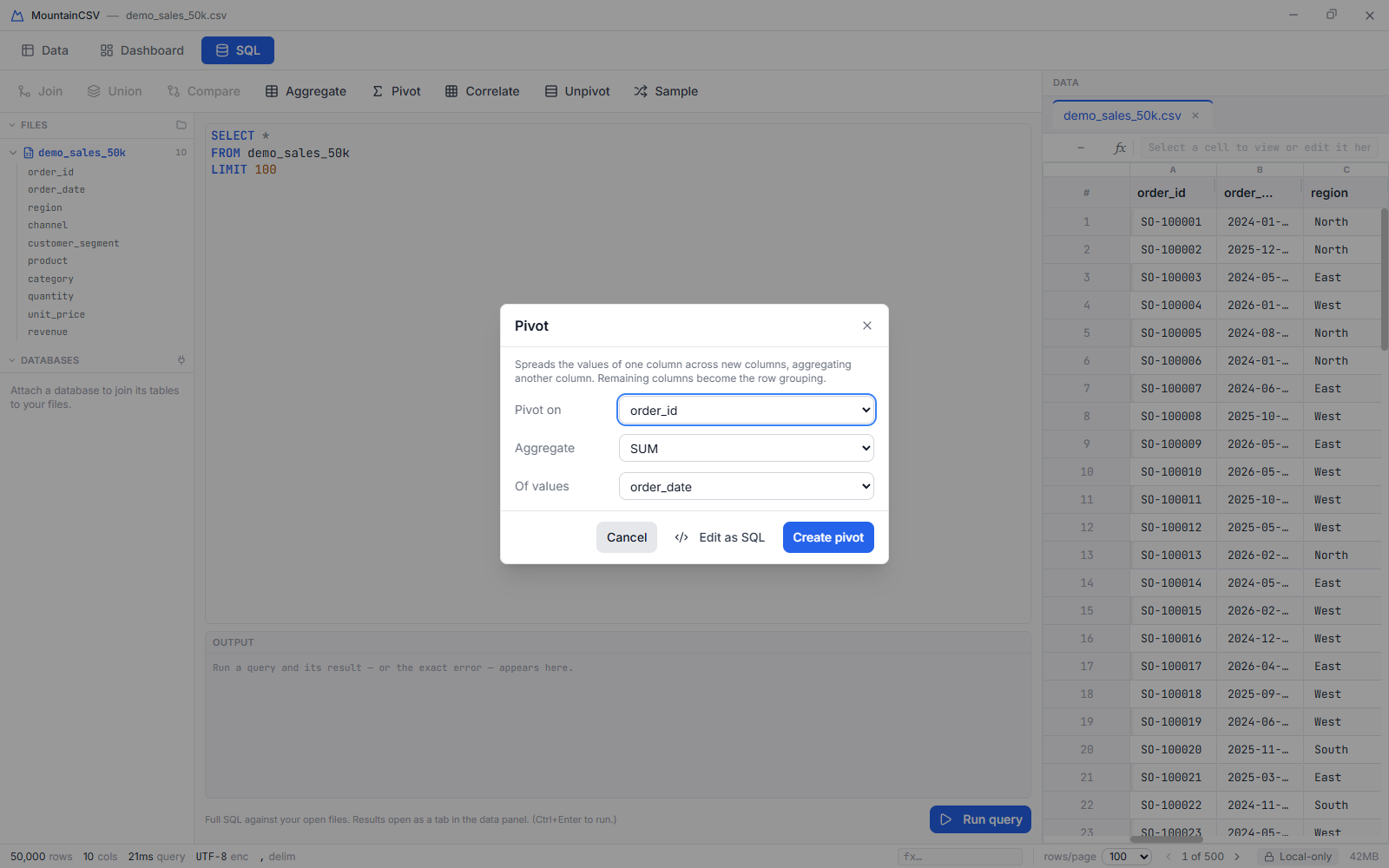
Pivot and unpivot, aggregate with GROUP BY, join two files on a key, or 🏆 fuzzy-join on approximate keys (Jaro-Winkler) so "Jonathan" matches "Jonathon" — an enterprise feature most tools charge hundreds for. Union multiple files, or sample a random subset into a new tab.

Pivot dialog reshaping data into new columns
📊

Analyze & visualize

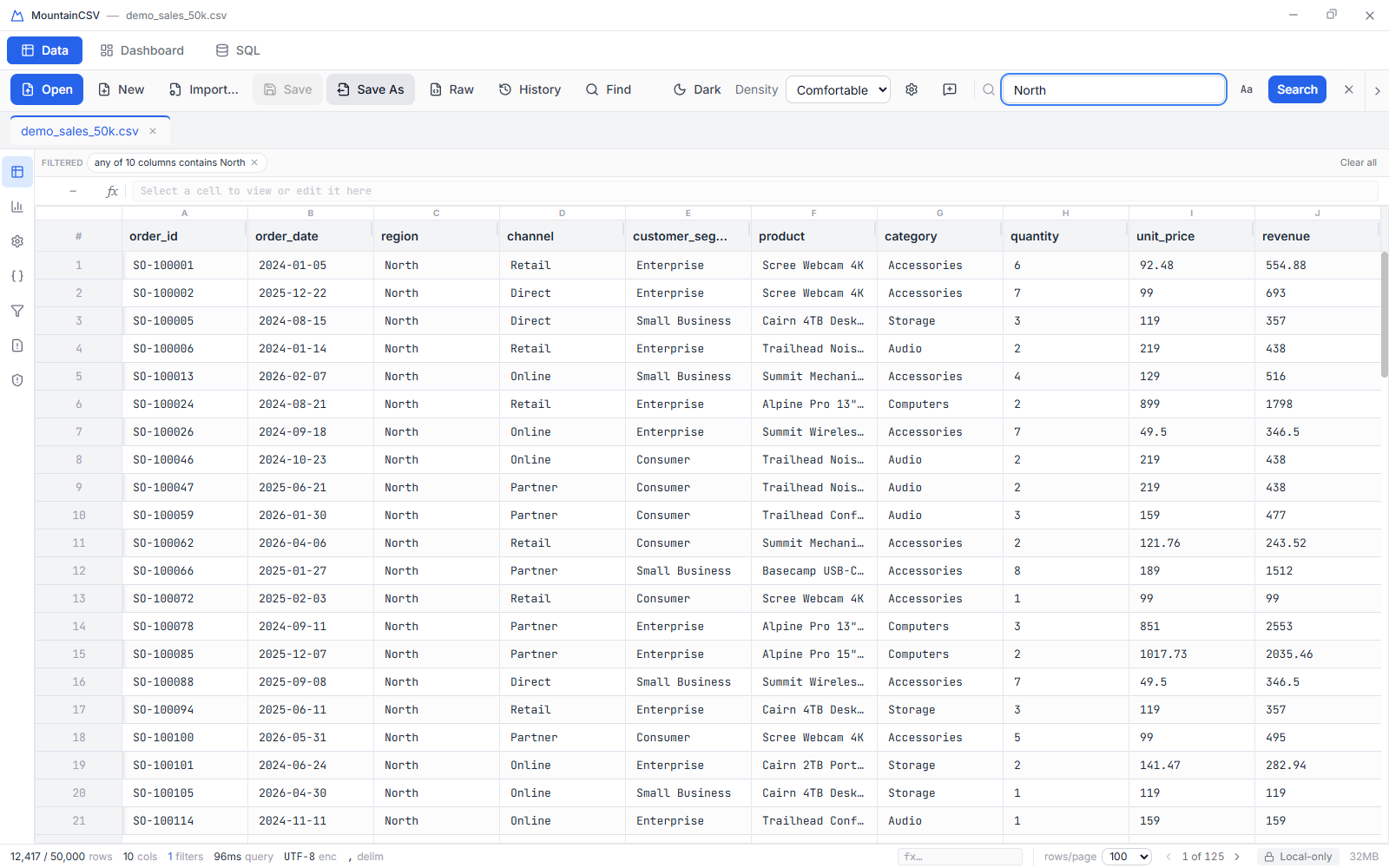
Correlation matrix, duplicate detection, outlier detection (IQR and Z-score). Interactive charts — bar, line, pie, scatter, histogram and map — with cross-filtering: click a bar, slice or histogram bin and the data beside it filters instantly, with a chip showing exactly what's applied and a single click to undo it.

🏆 Find in Files searches a whole folder of data files without opening any of them — "which of these forty exports mentions order 1001?" — and lands the matches (file, row, column, value) as an ordinary tab you can sort, filter and export.

Filter chips showing an active filter over the data grid
🗄️

Real SQL, built in

The standout feature: a full SQL workspace, not a cramped popup. Every open file is exposed as a named table — write joins, window functions, CTEs and aggregations, and the result opens as a new tab beside the editor. Schema-aware autocomplete, syntax highlighting, a browsable table tree and a persisted query history.

Federated SQL — attach a live database connection and query its tables and your files together in one statement: join this morning's CSV export straight onto the database table it came from, no export step in between. Filters and column selections are pushed down to the database, so only the rows you ask for cross the wire.

SELECT region, SUM(revenue) AS total
FROM sales
JOIN regions ON sales.region_id = regions.id
GROUP BY region
ORDER BY total DESC
The SQL workspace with a real query
🔍

Reconcile an export against the database it came from

A file lands on your desk and the question is always the same: does this match what's actually in the system? The usual answer is a staging table, a load script, and permissions you don't have.

Attach the database — SQLite, PostgreSQL, Oracle, or anything with an ODBC driver — and join the file to the live table in one statement. No import, no temp table, no CREATE privileges. Filters and column selections are pushed down to the server, so only the rows you asked for ever cross the wire, and the file itself never leaves your machine.

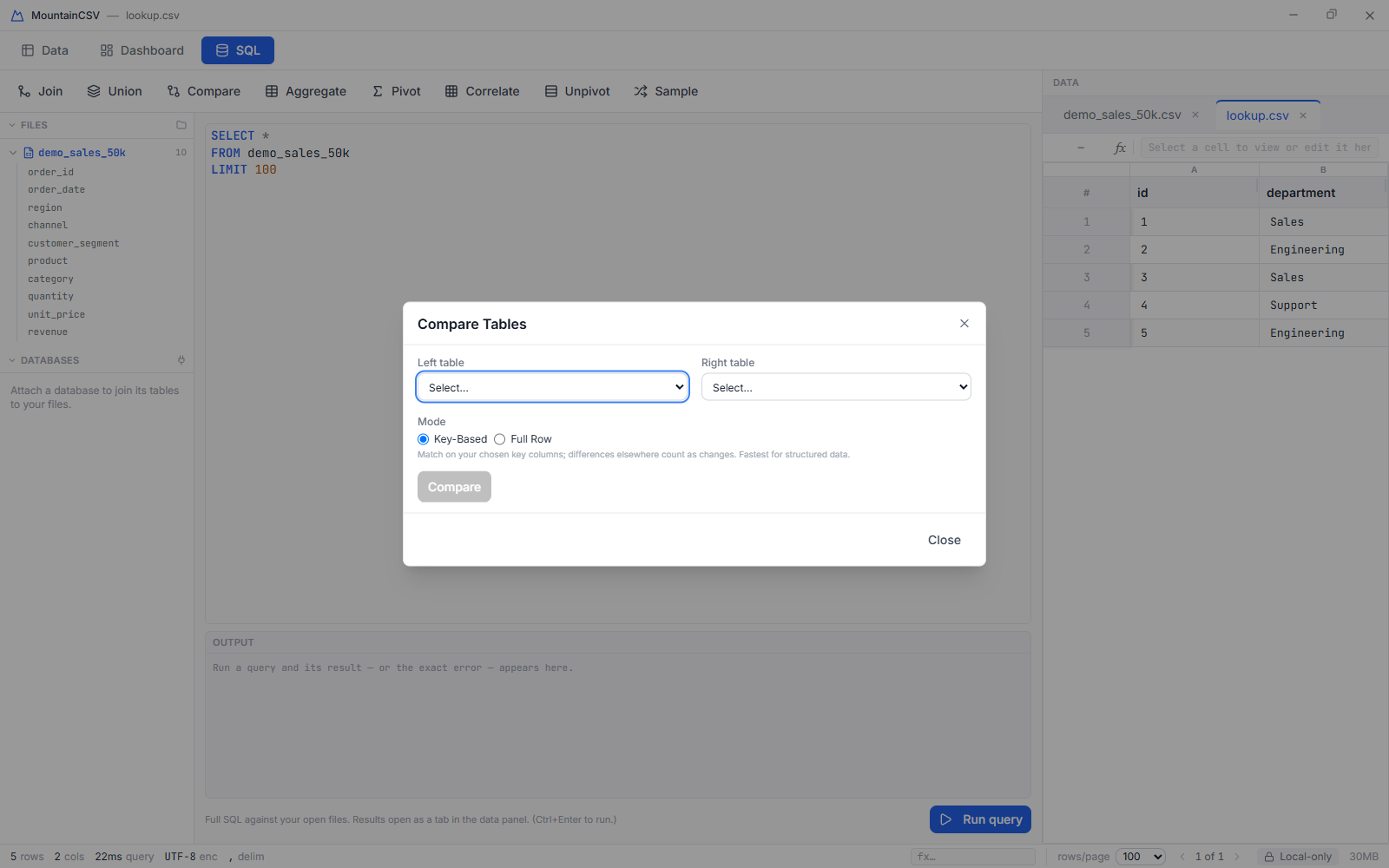
Or skip the SQL entirely: Compare takes two tables and reports what's only on the left, only on the right, changed, and identical.

The Compare dialog reporting differences between two tables
Privacy

Your data never leaves your machine

No telemetry, no analytics, no network calls, no account, no cloud sync. MountainCSV runs entirely on your computer — a permanent "Local-only" indicator sits in the status bar so you never have to wonder. That makes it a genuine option for PII, financial data, medical records, or anything under NDA or GDPR that you simply can't upload to a browser tool. That isn't an edge case — it describes most of the data people are paid to work with.

Comparison

MountainCSV vs. the alternatives

SpreadsheetsOnline CSV toolsMountainCSV
Million-row files🐌 slow / cappedvaries⚡ Fast
Preserves IDs, ZIPs, dates❌ manglesvaries✅ Yes
Real SQL on your datararely✅ Yes
Join / pivot / validatepartialpartial✅ Yes
Search a whole folder of files✅ Find in Files
Version safety net on save✅ Last 10 versions
Data stays on your machine❌ uploads✅ Yes
PricesubscriptionsubscriptionOne-time £19.99
Pricing

One price. Every feature. Forever.

No subscription, no per-seat licensing, no feature gating. Buy once, use it for as long as you like.

MountainCSV — full license
£19.99 one-time
One-time payment · all features · Windows 10 & 11
  • Every feature in this page, no tiers
  • Free updates within the major version
  • Windows 10 & 11 now — macOS & Linux planned
  • No account, no telemetry, no subscription
  • 7-day free trial — the full app, nothing held back
Start your free trial
🪟 Windows 10/11 macOS & Linux planned
Get started

Get MountainCSV

MountainCSV is on the Microsoft Store — £19.99 once, no subscription, with a free 7-day trial of the full app. Installing from the Store means no security warnings and updates arrive automatically.

Windows 10 and 11. Your trial starts when you first open the app.

FAQ

Common questions

Does any of my data get uploaded anywhere?

No. MountainCSV makes zero network calls with your data. Everything — opening, editing, SQL queries, charts, exports — runs locally against a database engine embedded in the app itself.

What happens when the 7-day trial ends?

Nothing is held back during the trial — you get the whole app. When it ends, buy it from the Microsoft Store and carry on; your files, settings and recent-file list are exactly as you left them.

Is this a subscription?

No — £19.99 is a one-time purchase that unlocks every feature, permanently. There's no recurring charge and no account to manage.

How big a file can it handle?

MountainCSV is built on an embedded columnar analytical engine, not a spreadsheet grid — it's designed for files with millions of rows. Only the visible page of data is ever held in memory.

Where do I learn every feature in detail?

The User Guide walks through all three workspaces and every panel and dialog in the app, step by step, with screenshots.